
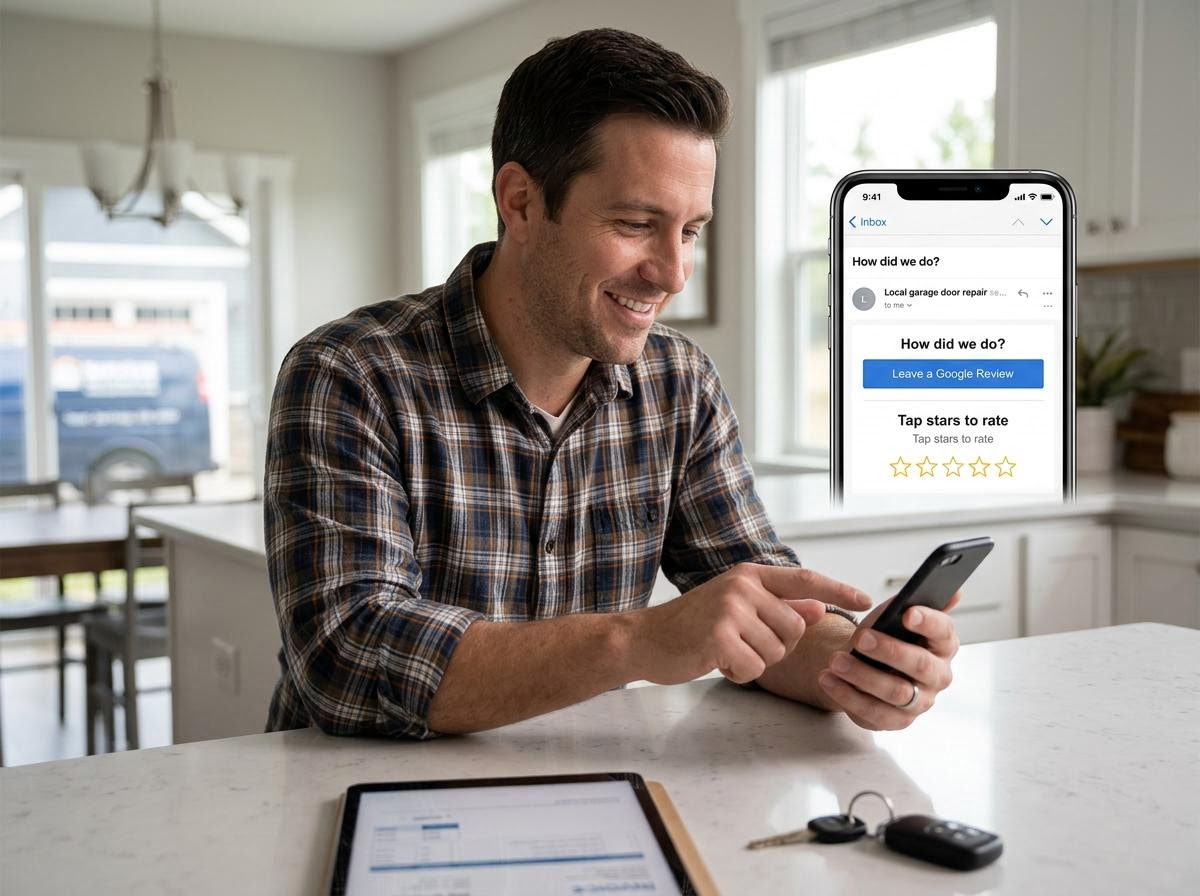
You can automatically send a Google review link to a customer by integrating your job dispatch software with an automated marketing platform for garage door contractors, like Marketing 360®, using Zapier or native webhooks to trigger an automated email review request the instant a technician marks a service invoice as completed or paid.
In the garage door industry, customer reviews are the lifeblood of your business and huge part of any garage door marketing strategy. Over 70% of homeowners facing an emergency—like a car trapped behind a broken spring at 7:00 AM—will hire one of the top three companies featured in the Google Map Pack. The single most important factor determining who gets those top spots is a steady flow of fresh, high-star Google reviews.
However, asking technicians to manually send review requests to customers at the end of every job rarely works. Technicians get busy, forget to send the link or feel awkward asking in person. By automating the process through email workflows, every completed service call automatically turns into a review opportunity without adding extra work for your team.
Here is how to set up an automated review email system that converts happy homeowners into permanent 5-star Google ratings.
1. Generate your direct Google review shortcut link
Before setting up any automation, you need a direct link that opens your Google Business Profile review window instantly. If you send customers to your general Google listing and force them to search for the "Write a Review" button, your completion rate will drop dramatically.
How to get your direct review link:
Log into the Google account that manages your Google Business Profile.
Search for your business name on Google Search to access your profile dashboard.
Click Ask for reviews or Get more reviews.
Copy the short URL provided (e.g.,
[https://g.page/r/your-custom-link/review](https://g.page/r/your-custom-link/review)).
Testing this link on a mobile or desktop device should immediately open the Google review overlay with five blank stars ready to be tapped.
2. Connect your field management CRM to your email platform
To send emails automatically upon job completion, your systems must communicate with each other. When a technician finishes replacing a broken spring, repairing a door off-track or tuning up an opener, they update the job status in a Field Service Management (FSM) platform like ServiceTitan, Housecall Pro, Jobber or FieldEdge.
By connecting your dispatch software to an automated email marketing engine using webhook triggers or Zapier, you establish an automated workflow:
Trigger event: Job status changes to completed or invoice status changes to paid.
Action event: Send an automated email template to the customer's primary email address on file.
Setting a 1-to-2 hour delay after job completion is ideal. This gives the homeowner time to test their newly repaired door and go about their day before receiving your email request.
3. Design a high-converting post-service email template
Email gives you the space to maintain a professional brand image while making the action step completely unmissable. Keep the design clean, mobile-responsive and focused on a single primary call-to-action button.
Key elements of a high-converting review email:
A personal subject line: Use clear, localized subject lines like "How did [Technician Name] do with your garage door repair today?" or "Thank you for choosing [Company Name] — Quick question for you!"
Include digital invoice details: Homeowners almost always open post-service emails when they double as job completion confirmations or receipts. Placing your review request prominently above or alongside their invoice summary guarantees high open and click rates.
A prominent CTA button: Use a large, high-contrast button that says "Leave a Google Review" rather than a hidden text link.
Reassurance of speed: Remind the customer that leaving a review takes less than 60 seconds.
4. Build a feedback gate to handle issues privately
One concern contractors have regarding automated review links is accidentally inviting an unhappy customer to leave a 1-star public rating on Google. You can build a simple safeguard directly into your automated email workflow.
Instead of sending the direct Google link immediately to every customer, send them to a simple internal feedback landing page:
The automated email asks: "How satisfied were you with your garage door repair today?" with two distinct buttons: [I'm Happy with the Service] or [I Had an Issue].
If the customer clicks [I'm Happy with the Service], they are automatically redirected to your public Google review window.
If the customer clicks [I Had an Issue], they are directed to a private customer care form that routes an urgent notification to your service manager, allowing you to resolve the situation privately before a negative review hits your Google profile.
5. Implement an automated follow-up sequence for un-opened emails
Not every homeowner opens their email immediately after a service appointment. If a customer does not open or click your initial review request, sending a gentle, automated follow-up email 3 to 5 days later can boost your total review collection rate by up to 30%.
Follow-up email best practices:
Keep it brief: Remind them that as a local business, public feedback helps neighbors find reliable technicians in an emergency.
Highlight warranty peace of mind: Reiterate that their satisfaction is guaranteed and provide contact information for any future maintenance needs.
Automatically stop on click: Ensure your automation platform cancels future reminder emails as soon as the customer clicks the review link.
How Marketing 360 helps garage door companies automate review growth
Setting up webhooks, API connections and automated email workflows across multiple dispatch tools can quickly become overwhelming for busy garage door business owners.
Partnering with an all-in-one platform like Marketing 360 streamlines your entire reputation management strategy. Marketing 360 integrates directly with your existing field management software to send automated email review requests, manage your incoming ratings and monitor your local search presence from a single, intuitive dashboard.
From executing multi-stage email campaigns and optimizing your Google Business Profile to managing high-intent Google Ads and local map rankings, Marketing 360 gives you the tools and dedicated marketing expertise needed to dominate your local market and grow your garage door business seamlessly. Sign up today!